> For the complete documentation index, see [llms.txt](https://docs.siit.io/llms.txt). Markdown versions of documentation pages are available by appending `.md` to page URLs; this page is available as [Markdown](https://docs.siit.io/core-plateform/integrations/microsoft-teams.md).
# Microsoft Teams
Siit brings powerful service desk functionality directly into Microsoft Teams, eliminating the need to switch between tools and making it effortless for employees to get help.
Siit allows you to submit and manage service requests directly in Microsoft Teams. Siit's native integration with Teams, Microsoft 365, and Outlook enables you to turn direct messages into requests and keeps everyone informed on status without ever having to leave Teams.
### Submit a new request
Employees can create requests in multiple ways:
⭐️ **Message the Siit bot**\
Start a direct conversation with Siit to create a private, confidential request.
⭐️ **Use message actions**\
Right-click any message in Teams and select "Create a ticket" to instantly transform conversations into traceable requests.
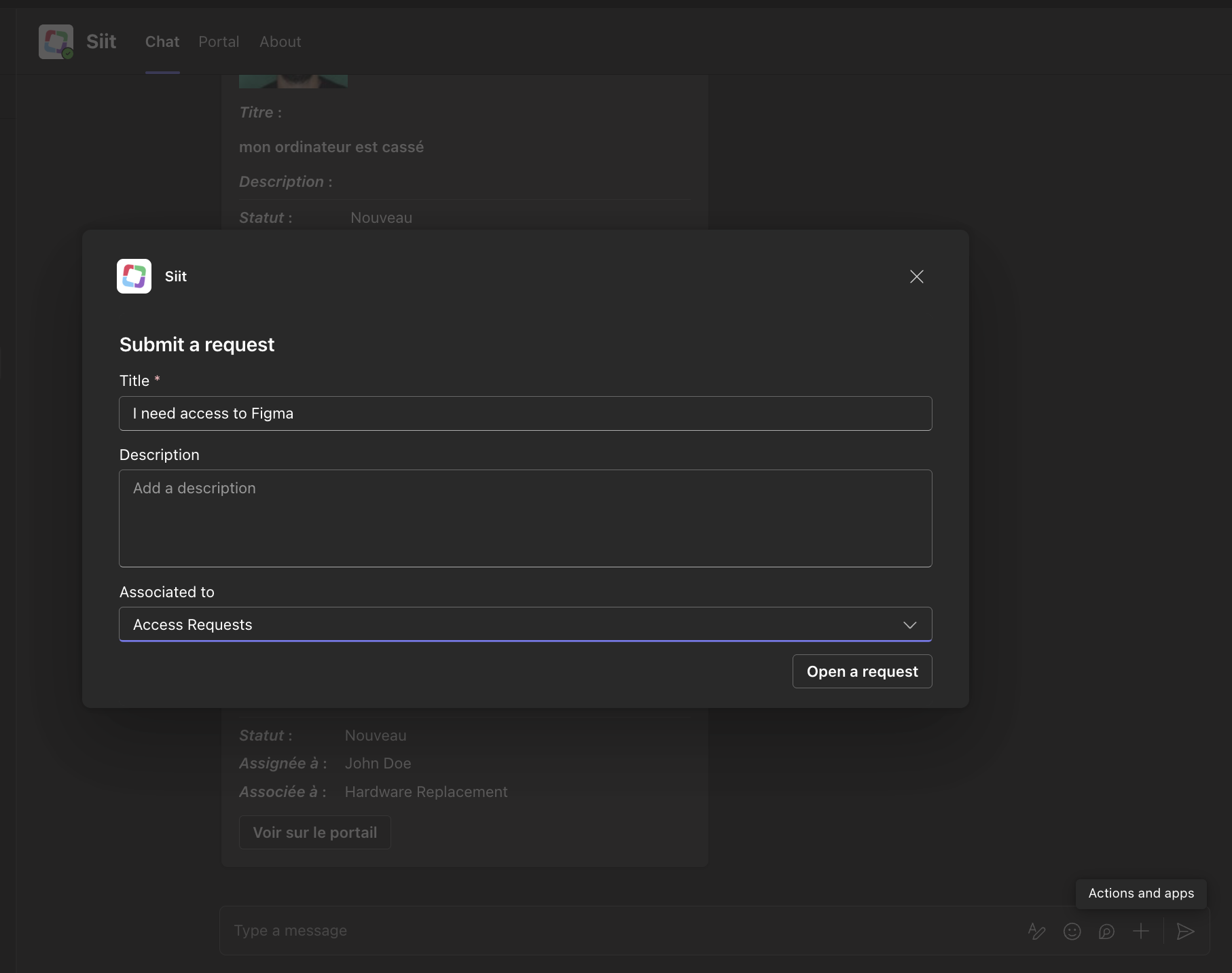
⭐️ **Use adaptive cards**\
Fill out dynamic, context-aware forms directly in Teams to provide all necessary details upfront.
{% embed url="" %}
***
### Stay up-to-date about your requests
Siit keeps you informed with automatic updates delivered right in Teams:
* **Direct notifications**: Receive updates about status changes, assignments, and resolutions in your conversation with Siit
* **Status cards**: View the full request status and details through interactive adaptive cards
* **Real-time sync**: All updates from admins are instantly reflected in Teams
***
### 🤖 AI-powered automation
Siit's AI capabilities help streamline your service desk operations with intelligent automation:
#### AI Agents: Instant answers from your knowledge base
Siit AI Agents provide instant, accurate answers based on your existing documentation from Microsoft 365, SharePoint, or other connected knowledge bases—no waiting required.
**How it works:**
1. Employees ask questions in Teams
2. Siit AI searches your connected knowledge bases
3. Generates contextual answers with source references
4. Delivers responses in seconds, directly in the conversation
{% content-ref url="/pages/NBF1pRgz7YgjGQwMbhOy" %}
[AI](/core-plateform/ai.md)
{% endcontent-ref %}
***
### 🔖 Dynamic forms for better context
Create personalized dynamic forms to capture essential information upfront, reducing back-and-forth communication:
* **Conditional fields**: Show or hide fields based on previous answers
* **Rich input types**: Text, dropdowns, multi-select, date pickers, and more
* **Microsoft 365 integration**: Auto-populate fields with user data from Azure AD
* **Mobile-friendly**: Forms work seamlessly on Teams mobile apps
***
### Turn any message into a ticket
Need to convert a conversation into a tracked request? Transform any Teams message into a Siit ticket with full context preserved:
* **From chats**: Right-click any message and select "Create ticket from message"
* **From channels**: Convert team discussions into trackable requests
* **Automatic context**: The original message thread stays connected to the ticket
***
### Getting started
Ready to connect Microsoft Teams to Siit?
{% content-ref url="/pages/70J1ibPQd64qIu27HcAy" %}
[Microsoft Teams](/core-plateform/integrations/microsoft-teams.md)
{% endcontent-ref %}


.png?alt=media&token=73a01f49-4dcd-4951-b55e-048f90c3741c)