> For the complete documentation index, see [llms.txt](https://docs.siit.io/llms.txt). Markdown versions of documentation pages are available by appending `.md` to page URLs; this page is available as [Markdown](https://docs.siit.io/service-catalog/self-service-portal.md).
# Self service portal
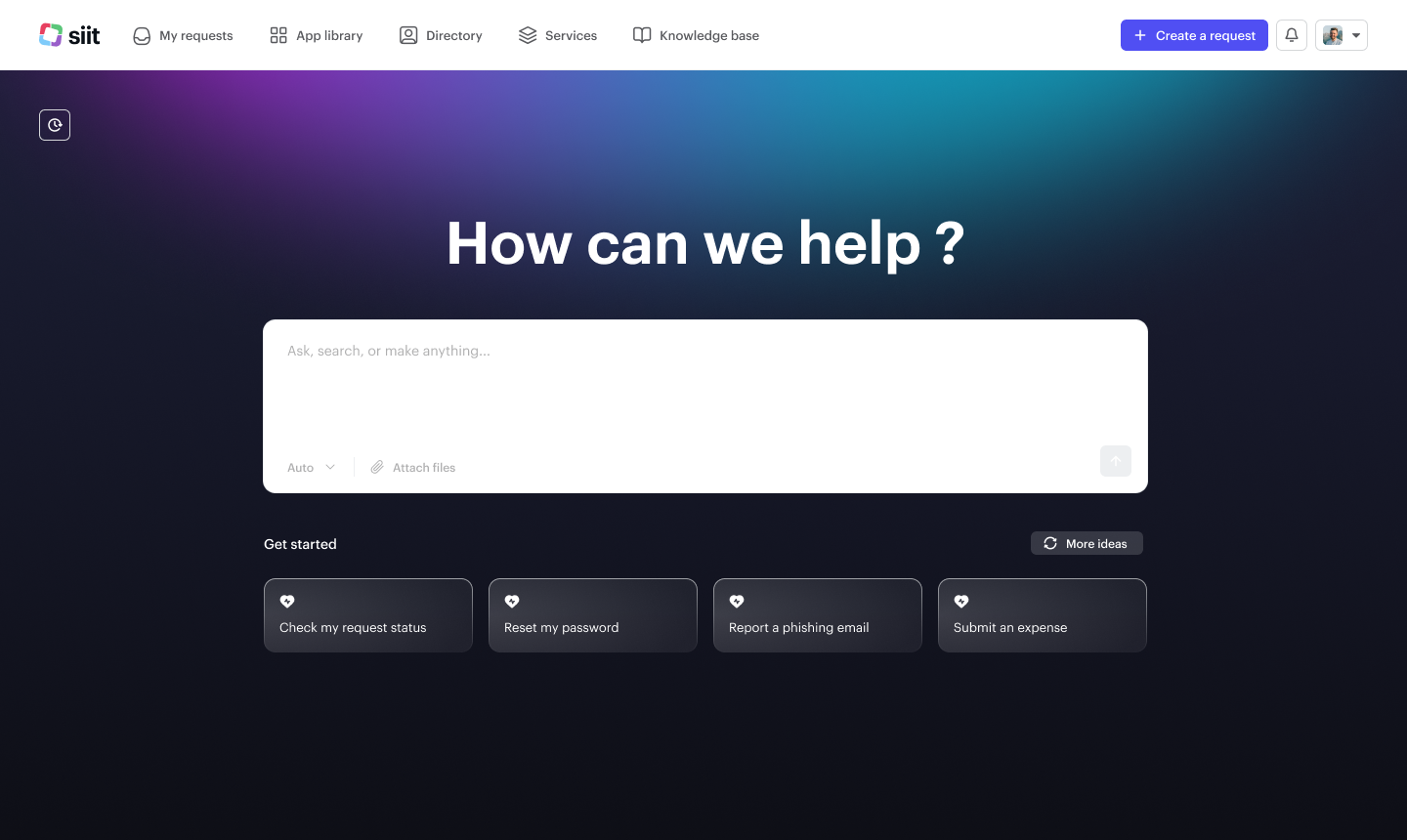
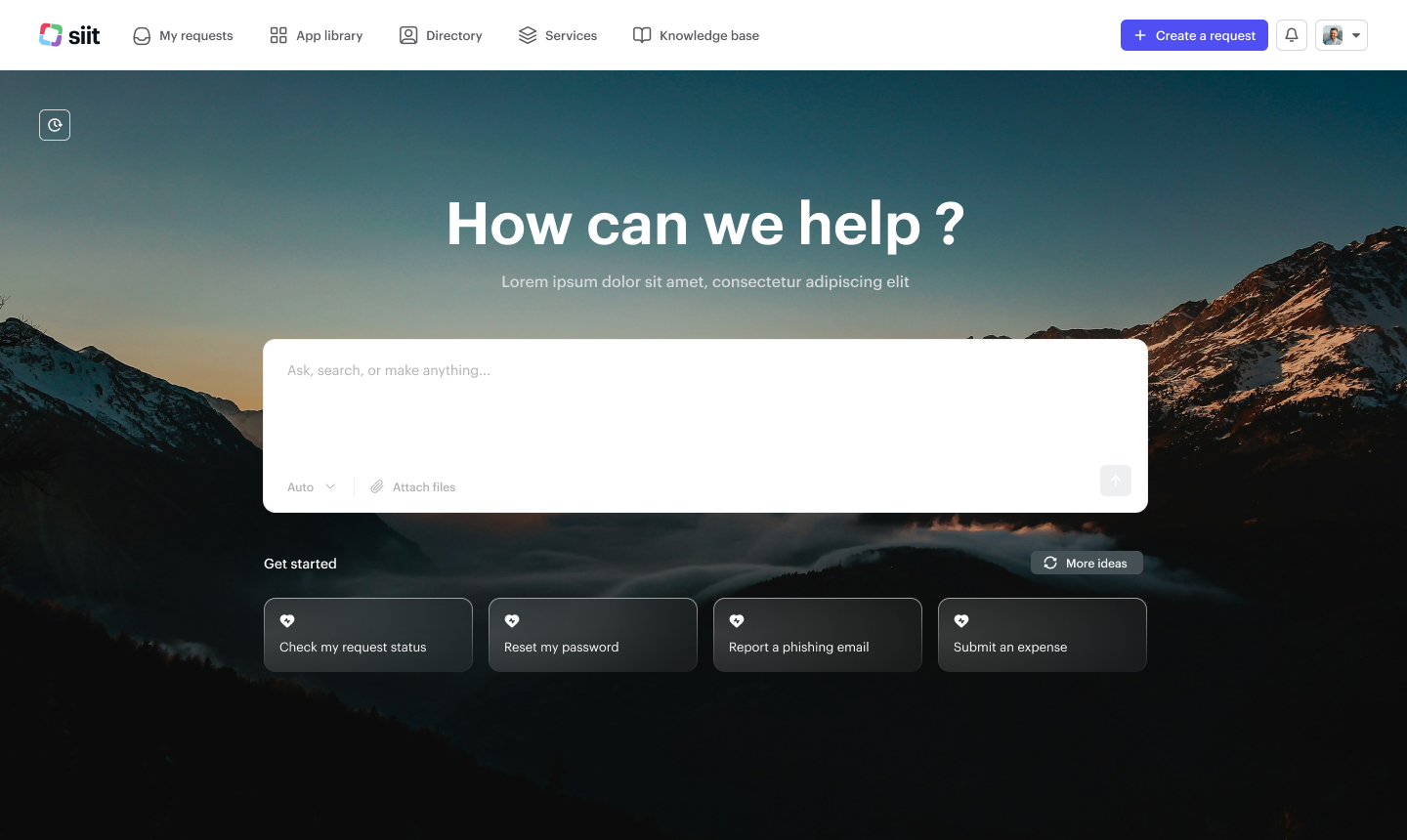
The Portal is your company's self-service home. Employees submit and track requests, browse the service catalog and directory, and read knowledge, all under your branding and access rules
The Portal is your company’s self‑service home for internal resources. Employees can submit and track requests, find apps, browse the directory, and read knowledge—everything in one place. Admins brand and control access from Settings.
### Accessing the Portal
* URL: yourcompany.siit.io
* Sign‑in: Microsoft 365 or Google or SAML (same identity you configured in Siit)
* Entry points: link from Slack/Teams, Web, or Admin console
### What employees see
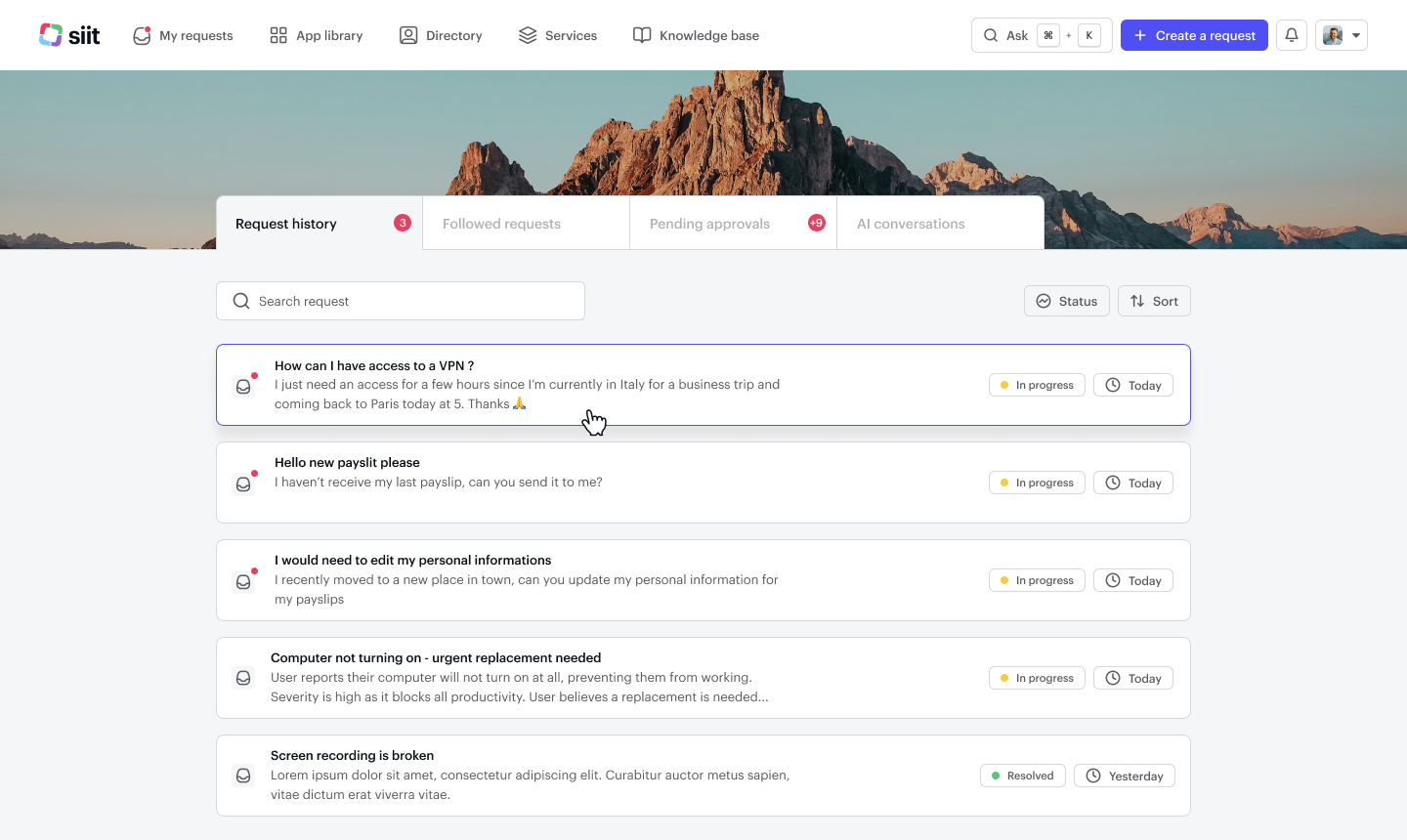
**My Requests**
* Request history, Followed requests, Pending approvals, AI conversations (if enabled)
* Search, filter by status, sort by date
* Open a request to reply, attach files, or add participants
**Services Catalog**
* Browse categories (IT, HR, Finance, etc.) and open a service form to submit a request
* Visibility honors service audience rules set by admins
**App Library**
* Find company tools by category, search, and mark favorites
**Directory**
* Search colleagues; see title, department, manager, and location
**Knowledge Base**
* Search and browse articles; open guides directly from results
### Create and manage a request
**+ Create**
* Click Create a request (top right) or open a service from the Services Catalog
* Fill the form, attach files, submit
* Open a direct link to a specific service to land straight on that service's form, already selected and ready to fill, skipping the search-and-pick step
> **Note** - Direct service links work the same way inside the Microsoft Teams embedded version of the portal.
**Track and act**
* My Requests shows status for open/closed items and those you follow
* Reply to agents, add info, upload attachments
* Approvals assigned to you appear under Pending approvals—Approve/Reject in one click
### AI in the Portal (Pro plan)
If enabled, employees can:
* Ask questions in the search bar or AI conversations tab and get instant answers from your knowledge
* Turn an AI exchange into a tracked request when human help is needed
Admins control availability and guardrails in [Settings → Channels → Portal → AI](https://app.siit.io/settings/channel/portal)
### Admin setup
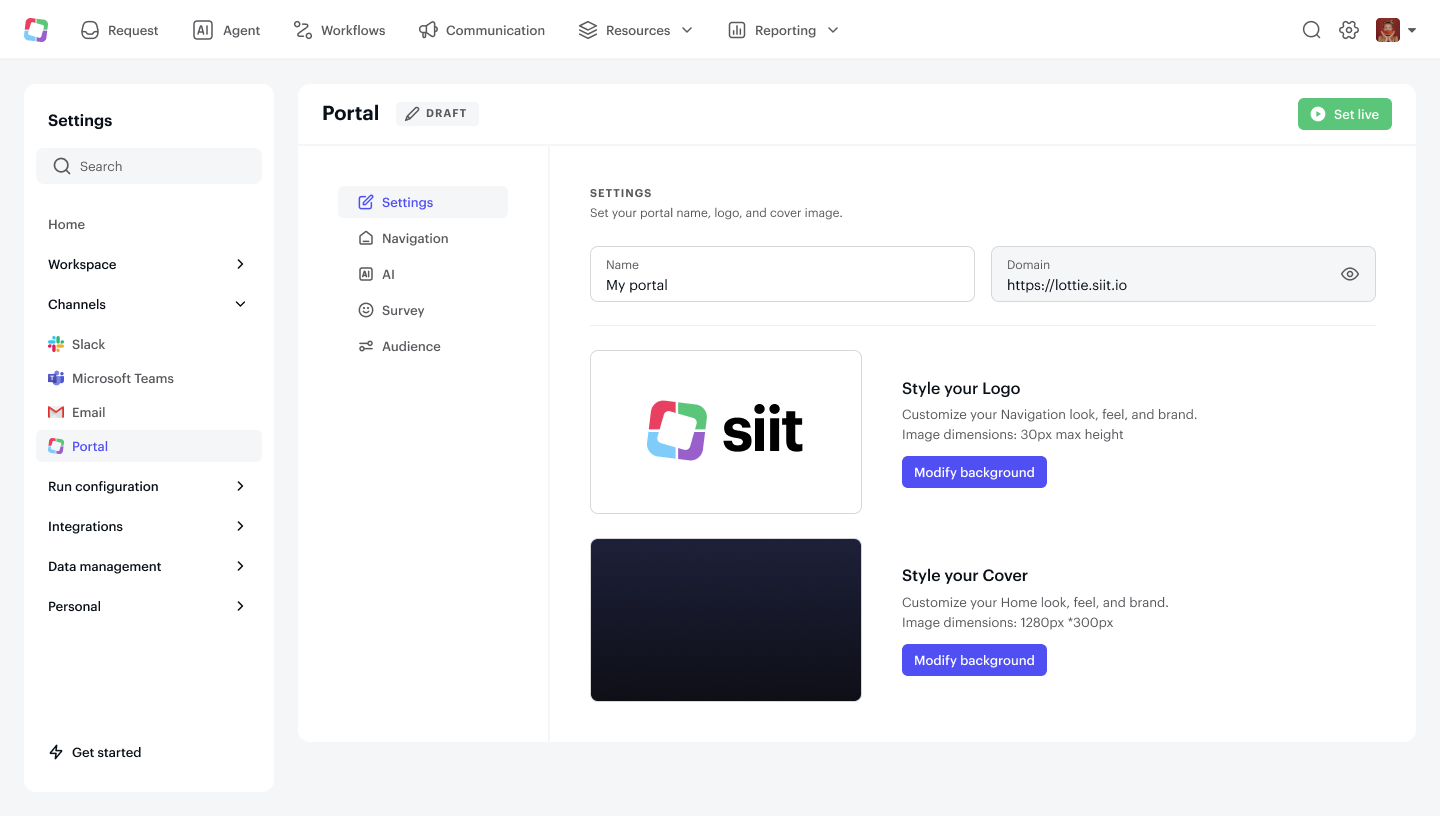
1. **Settings → Channels → Portal**
* Settings: Portal name, domain, logo, and cover image; Set live when ready
* Navigation: show/hide and reorder My Requests, Services, App Library, Directory, Knowledge
* AI: toggle AI assistant and configure sources/permissions
* Survey: enable CSAT after resolution
* Audience: choose who can access the Portal (all employees or specific groups)
2. **Publish content**
* Services: configure forms, routing, SLAs, and audience; mark visible in Portal
* Knowledge: create categories and articles; set visibility
* App Library: organize apps by category and ownership
#### What to expect
* A single, branded destination for help
* Fewer back‑and‑forths thanks to service forms and knowledge suggestions
* Consistent tracking: requests created in the Portal sync with Slack/Teams conversations and the Siit inbox
#### Best practices
* [ ] Pin the Portal link, or a direct link to a specific service, in Slack/Teams and your intranet
* [ ] Feature 6–10 most requested services on the Services page
* [ ] Keep forms short; ask only what’s needed to start
* [ ] Use Knowledge for common “how‑to” and policy questions; refresh monthly
* [ ] Enable AI when your knowledge base is ready to deflect simple requests
---
# Agent Instructions
This documentation is published with GitBook. GitBook is the documentation platform designed so that both humans and AI agents can read, navigate, and reason over technical content effectively. Learn more at gitbook.com.
## Querying This Documentation
If you need additional information that is not directly available in this page, you can query the documentation by asking a question.
Perform an HTTP GET request on the following URL with the `ask` and `goal` query parameters:
```
GET https://docs.siit.io/service-catalog/self-service-portal.md?ask=&goal=
```
`ask` is the immediate question: it should be specific, self-contained, and written in natural language.
`goal` is what the user is ultimately trying to achieve, the reason they need the answer. Sharing it helps GitBook give you a better, more relevant answer. A goal is most helpful when it describes the outcome the user wants rather than restating the question. For example, with `ask=how do I create an API token`, a goal like `automate deployments from our CI pipeline` lets GitBook tailor the answer to that use case.
The response will contain a direct answer to the question and relevant excerpts and sources from the documentation.
Use this mechanism when the answer is not explicitly present in the current page, you need clarification or additional context, or you want to retrieve related documentation sections.